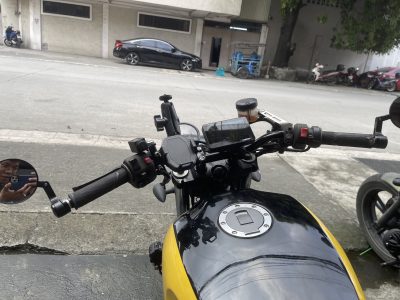
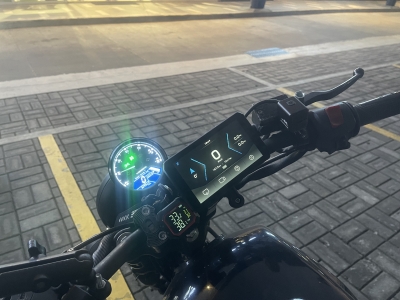
I’ve been through the CHIGEE XR-2, the AIO-5 Evo, and now the AIO-6 LTE and every step up was deliberate. Each unit solved something the last one couldn’t, and the AIO-6 LTE was no different. This isn’t a review written after a weekend test ride; this is one built from months of daily use across Manila.
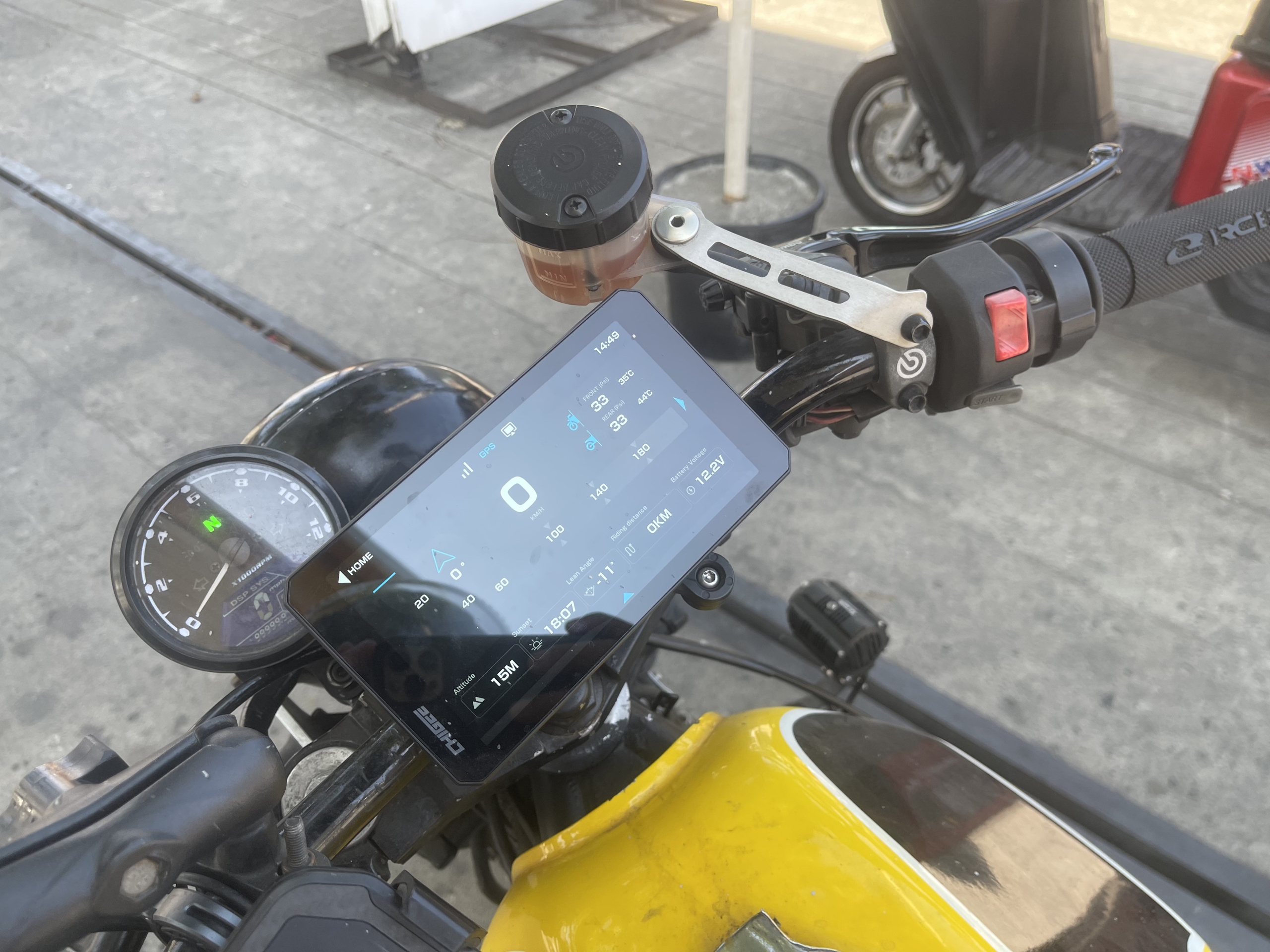
The move to the AIO-6 LTE came down to three specific problems I kept running into. I wanted TPMS and battery voltage visible before I even pulled out of the garage. I wanted real-time lean angle data for the twisties, not as a gimmick, but as an actual riding feedback tool.
CHIGEE AIO-6 LTE
Chigee AIO-6 LTE: a 6-inch ultra-bright smart riding display with 4G connectivity, GPS tracking, SOS alerts, and seamless CarPlay/Android Auto integration.
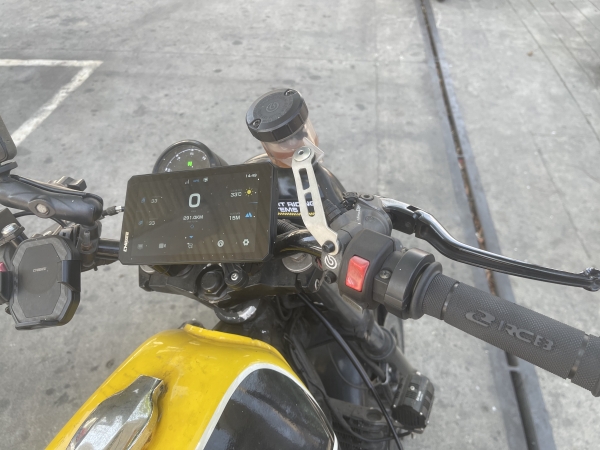
The third reason was my camera setup. I shoot with the DJI Osmo Action 5 Pro, and I needed a cockpit display that complemented it rather than duplicated it. The AIO-6 LTE handles GPS, speed, maps, and ride data. The Osmo handles the footage. If you’re on a CHIGEE right now and wondering whether the AIO-6 LTE is worth the jump, this is the full story.
The LTE slot takes a standard nano-SIM and works on both Globe and Smart networks in the Philippines no issues with either on my end across Metro Manila and highway runs down to Batangas.
My CHIGEE Upgrade Path
CHIGEE XR-2: The Starting Point
The XR-2 was my first step into a proper motorcycle display. It’s a 4.3-inch unit with wireless CarPlay and Android Auto, dual dashcam recording front and rear, and optional TPMS and OBD support. It hits up to 1,400 nits of brightness and is rated IP68 waterproof, solid specs for its price point.
What it doesn’t have is lean angle data. And while the dashcam works well with CHIGEE’s own camera module, it doesn’t pair with external action cameras like the DJI Osmo. On my Yamaha XJR 400, a naked retro bike with a tight cockpit, the 4.3-inch screen also started feeling cramped once I began doing longer rides and needed more information at a glance.
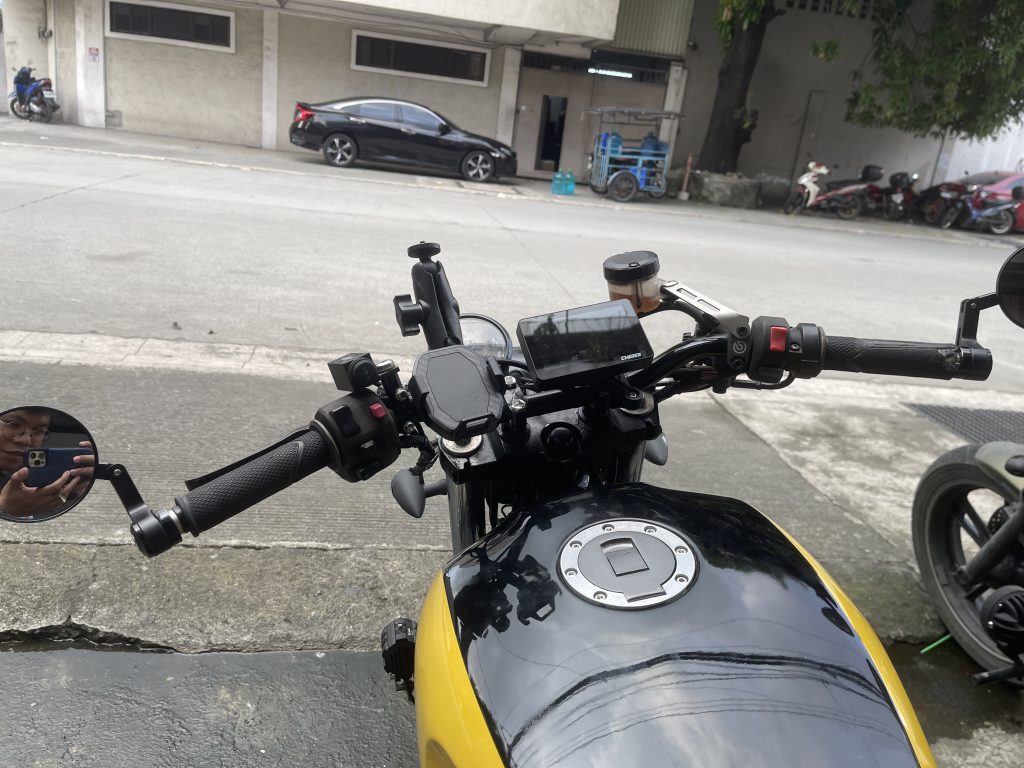
The XR-2 is an excellent entry point. It’s just not built to be an endpoint.
CHIGEE XR-2 long-term review proves reliability with GPS, cameras, and CarPlay tested daily in harsh PH conditions.
Chigee AIO-5 Evo: Closer, But Not There Yet
The AIO-5 Evo is a 5-inch IPS display with 1,200 nit peak brightness, built-in front and rear dashcam, and Blind Spot Detection (BSD). It’s a solid mid-range step up but it comes with trade-offs: no internal eMMC storage (external SD card only), and no CGRC CAN or LIN support.
Importantly, the AIO-5 Evo also has no lean angle sensor. That feature is exclusive to the AIO-6 series. TPMS is supported as an optional add-on, same as the XR-2. I ran the AIO-5 Evo for a good stretch on the Keeway CR152 and genuinely liked it for daily use and dashcam coverage.
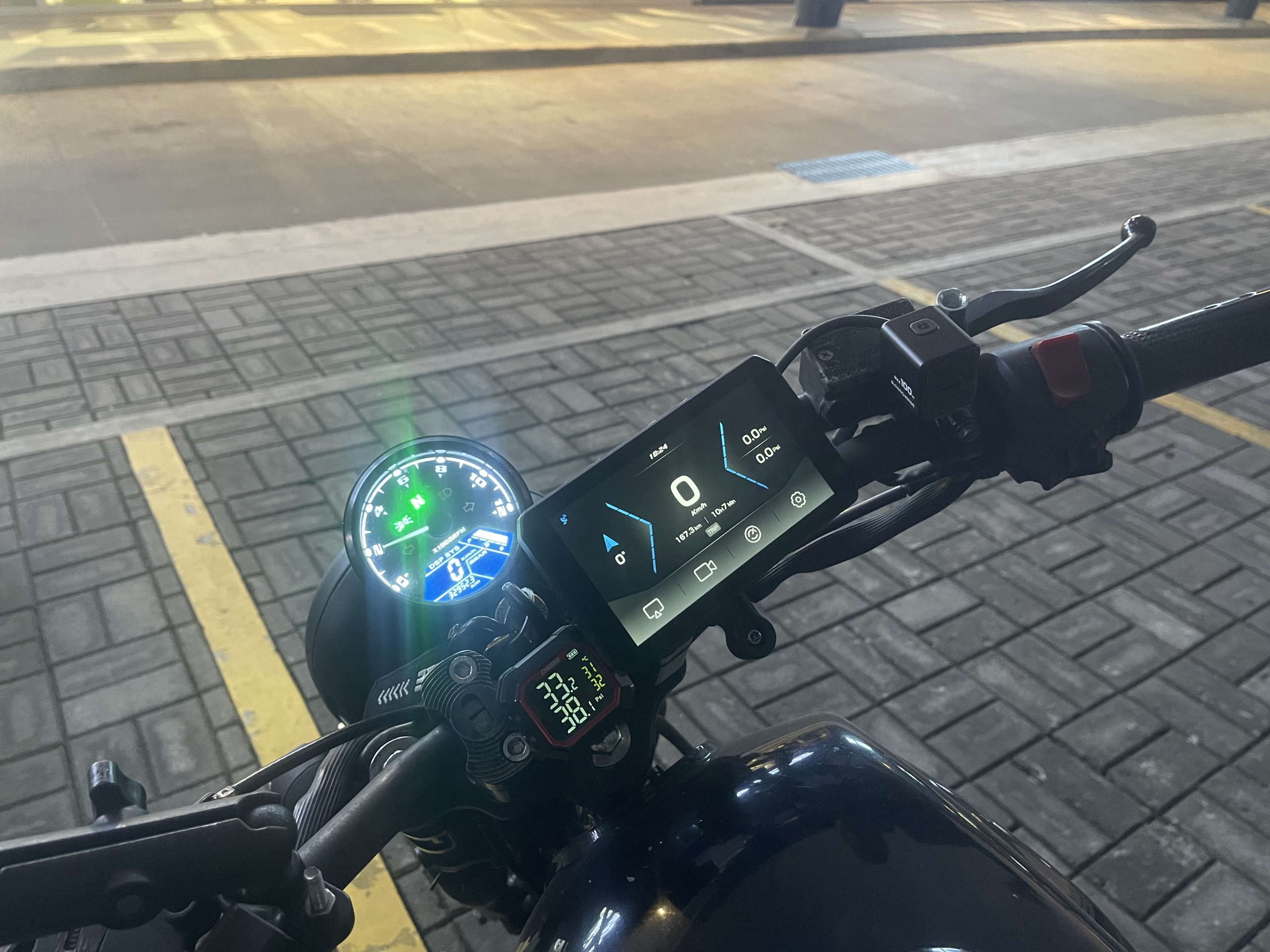
But the lean angle gap was the wall I kept hitting. As someone who rides the twisties regularly, not having that data started to feel like a missing piece.
CHIGEE AIO-5 EVO review shows how CHIGEE delivers full smart cockpit features at a budget-friendly price for everyday riders.
Pre-Ride Check: TPMS and Battery Voltage
One habit that changed completely after the AIO-6 LTE was my pre-ride routine. Before this unit, checking tire pressure meant a physical gauge. Checking battery voltage meant a separate tester. Now both are visible the moment I power on the screen.
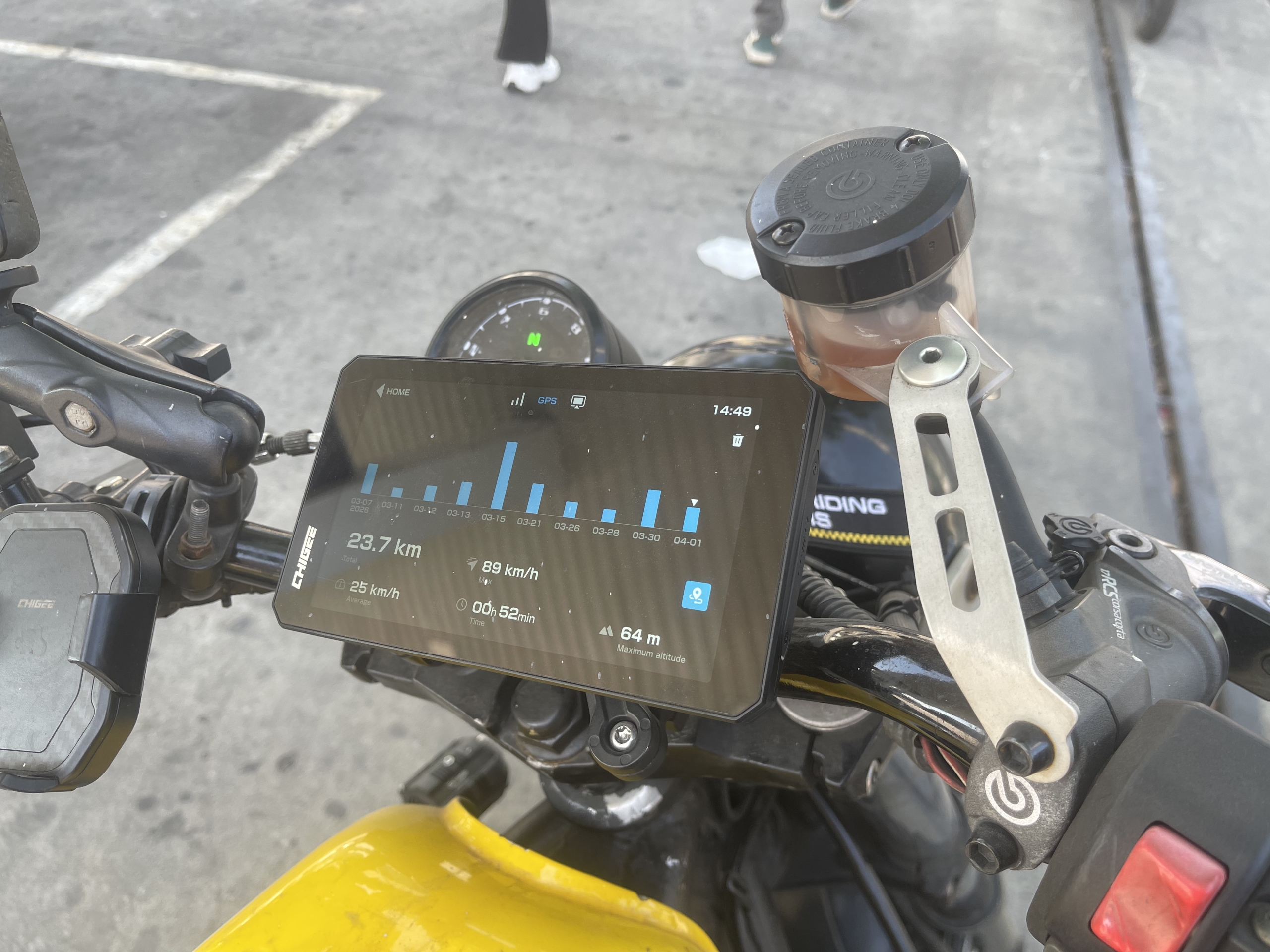
With the optional TPMS sensors fitted, front and rear tire pressure sit right on the home widget, no app-switching, no digging through menus. Before I leave the garage, I know at a glance if a tire dropped pressure overnight. On Philippine roads, where you genuinely don’t know what you rolled over the day before, this is not optional data anymore. It’s a safety net I didn’t know I needed until I had it.
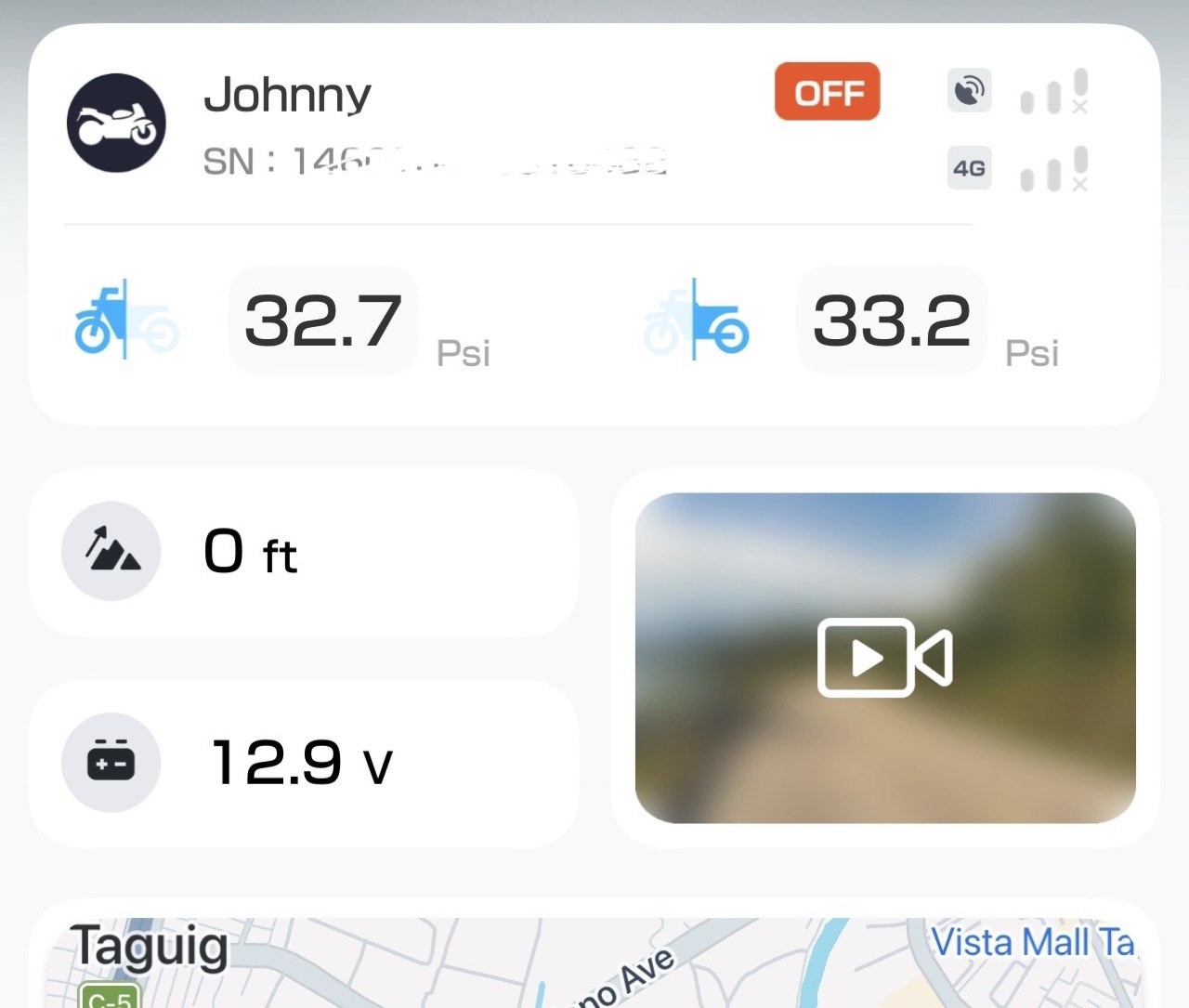
Battery voltage sits alongside it. On a long run from Manila to Baguio or down to Batangas, knowing your electrical system is healthy before you leave gives you one less thing to worry about on the road. If the voltage reads low, I can investigate before I’m an hour away from the nearest shop. That’s the value: catching problems at the garage, not on the highway shoulder.
What used to be a two-step process with separate tools is now a five-second glance. The AIO-6 LTE turned pre-ride checks from something I sometimes skipped into something I do every single time.
Lean Angle: The Feature That Sealed the Deal
If you ride twisty roads like Marilaque, Kennon Road, Marcos Highway, and the mountain passes up north, lean angle stops being a novelty and starts being information you can actually use. The AIO-6 series is the first in CHIGEE‘s lineup to include a lean angle sensor. Neither the XR-2 nor the AIO-5 Evo have it.
The AIO-6 LTE displays real-time lean angle on-screen. After a few rides with it, the number becomes a mirror of your technique. Carry too much entry speed with cold tires? The angle reflects it. Pick a late apex and let the bike run wide on exit? The data captures the unclean line that your camera footage would show you later anyway.
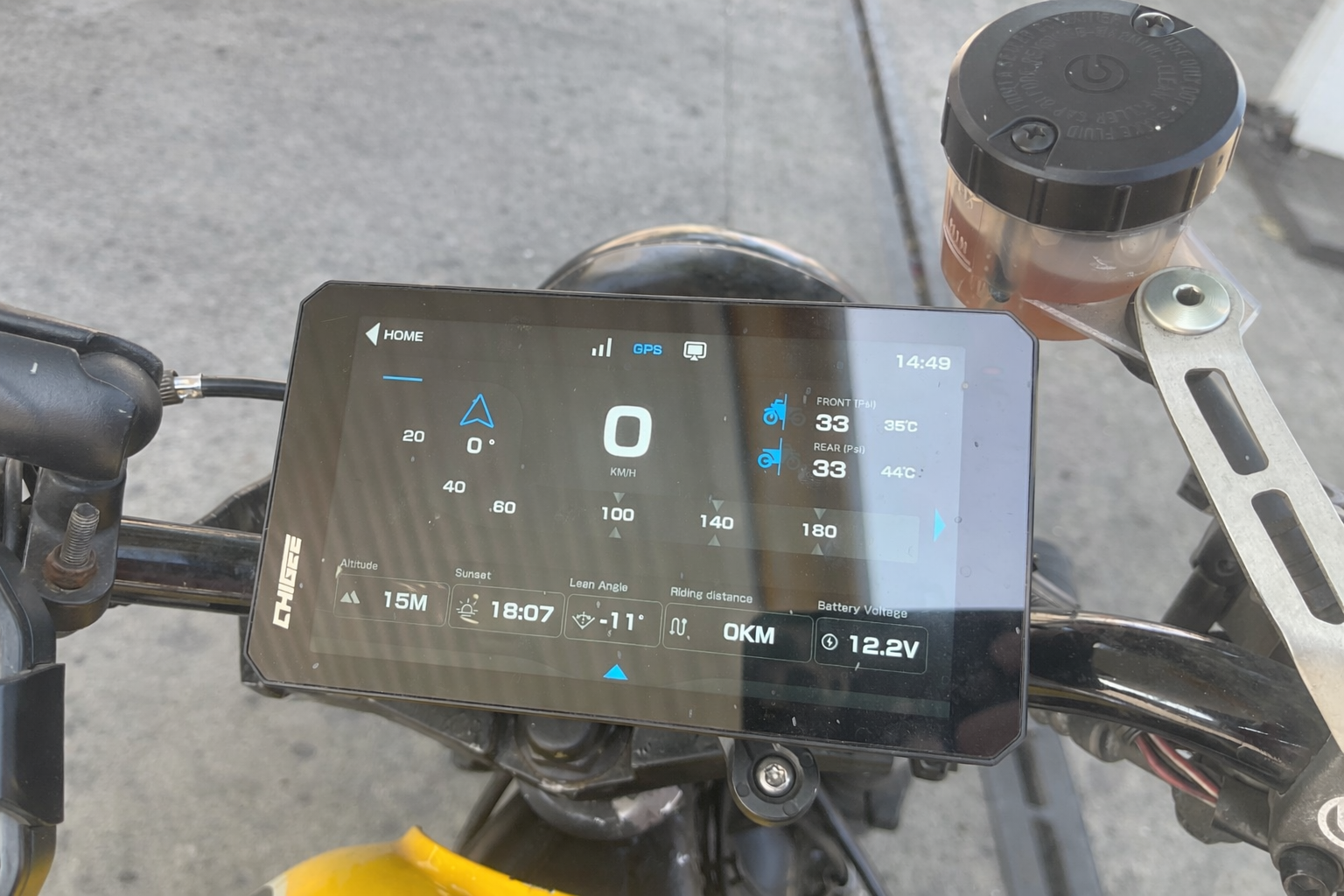
The practical coaching use is this: ride the same corner multiple times and watch the lean angle variance. If it’s all over the place on every pass, your lines aren’t consistent. Consistency in lean angle through the same corner means consistent entry speed, consistent braking point, and a consistent apex. It means you’re reading the road, not reacting to it.
The goal isn’t to maximize the number. That’s how you get hurt. Use the data as a feedback loop that makes you a smoother, more deliberate rider. After a few weekends treating lean angle as a coaching metric, I started riding cleaner and the video confirmed it. On wet roads or cold rubber, the numbers naturally trend lower. That’s the data doing its job.
Filipino rider setup guide explains how real PH riding conditions shape smarter upgrades like navigation and safety tech.
Running the DJI Osmo Action 5 Pro Alongside the AIO-6 LTE
Here’s the exact setup I’ve been running: the DJI Osmo Action 5 Pro as the primary action camera, and the CHIGEE AIO-6 LTE as the cockpit GPS and data display. These two devices do different jobs and don’t overlap.
Worth being clear: the AIO-6 LTE’s optional camera pairing via Bluetooth supports select GoPro,Insta360 and DJI models for direct start/stop triggering and The DJI Osmo Action 5 Pro is on that compatibility list, so it runs, which is exactly how I use it. The Osmo records the ride.
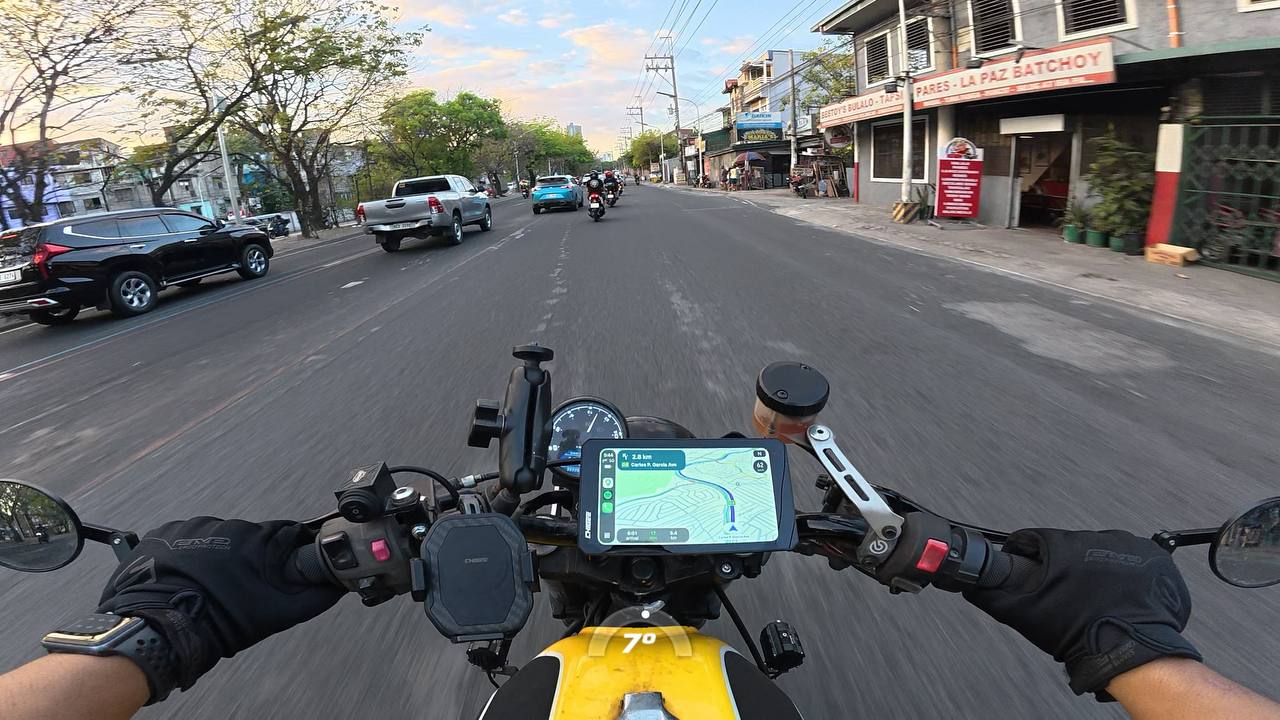
After the ride, those two streams tell a complete story. The video shows what happened. The GPS and ride data from the AIO-6 LTE shows how, where exactly on the road, at what speed, with what lean angle through each corner. If you’re creating content, that context makes your footage significantly more valuable to viewers. If you’re reviewing your own riding, it’s the kind of data that actually helps you improve.
What I appreciate most is the clean division of responsibility. Nothing is duplicated, nothing is competing for the same job. The cockpit stays uncluttered and the documentation stays comprehensive.
Ride Statistics: Seeing Your Ride Come to Life
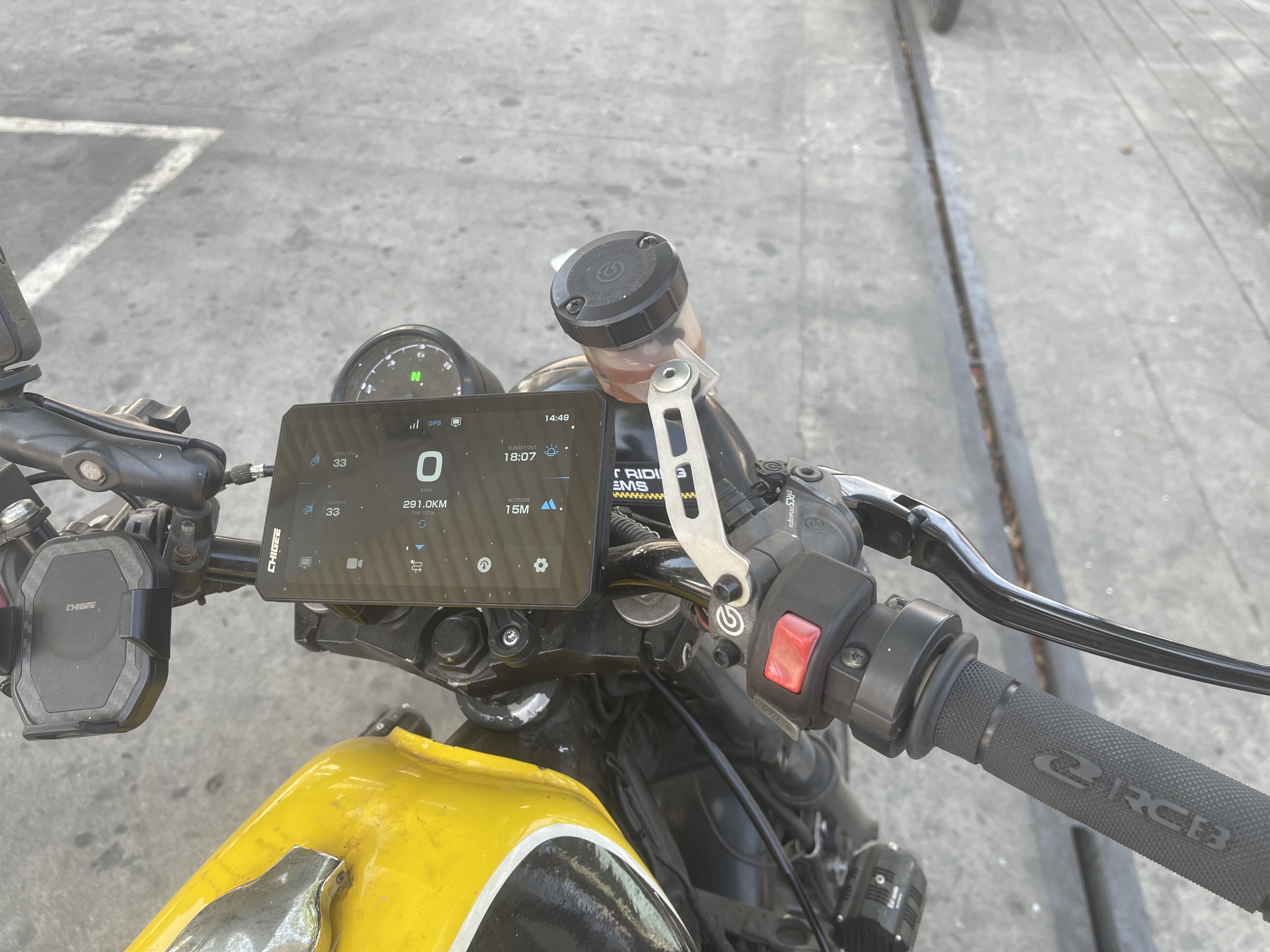
One thing I didn’t expect to use as much as I do is the ride statistics feature inside the CHIGEE GO app. After every ride, the data from the AIO-6 LTE syncs and gives me a full visual breakdown of the session, not just raw numbers, but an actual map-based replay of where I went and how I rode it.
On the app, I can see speed, distance, ride time, and the GPS track overlaid on a map. It turns every ride into something you can actually study. For twisty runs on Marilaque or Kennon, being able to pull up the exact route and cross-reference the data with my dashcam footage gives the ride real context, not just vanity stats.
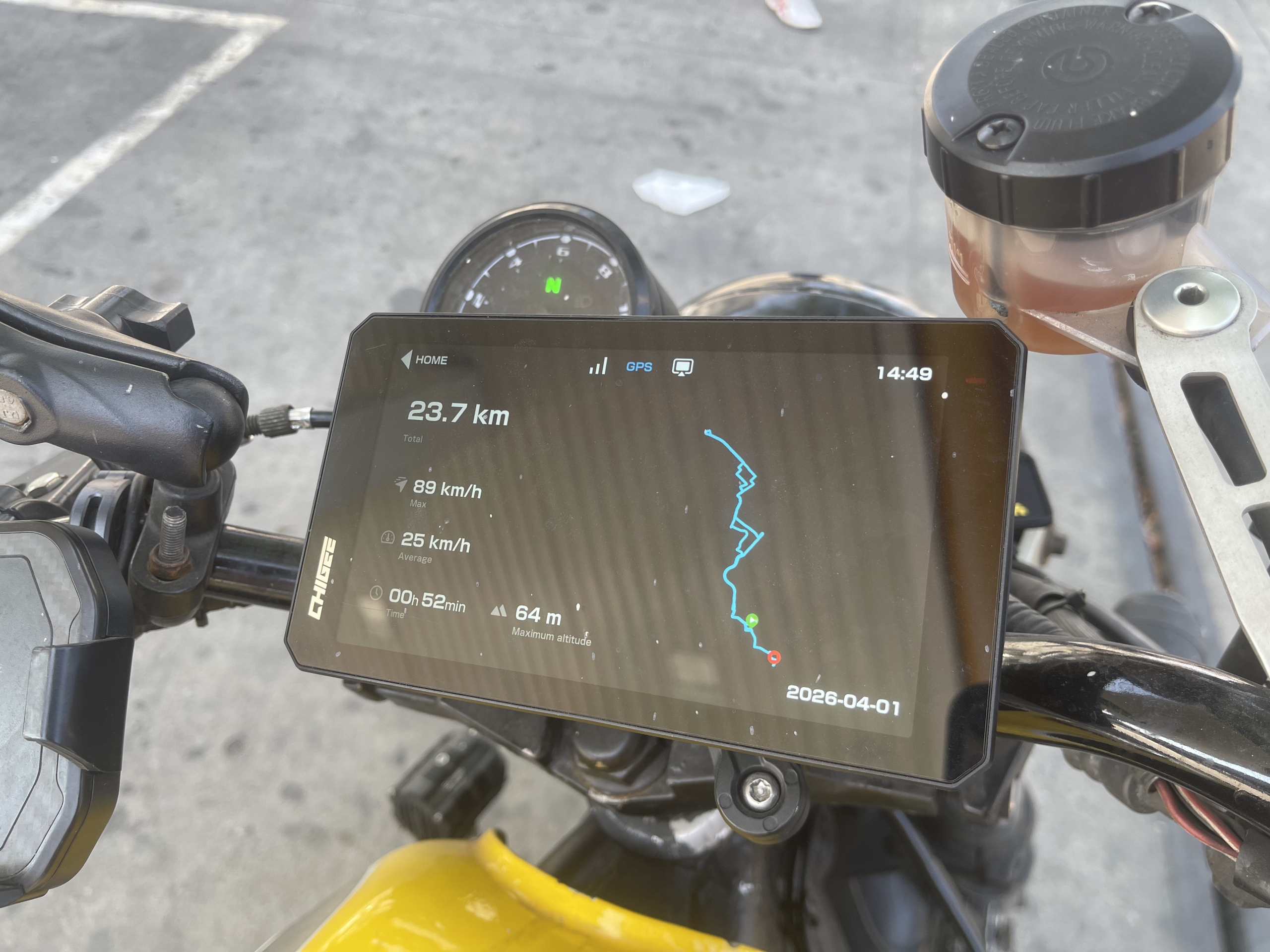
What takes it further is the telemetry log file the AIO-6 LTE records during every ride, capturing GPS, speed, G-force, and lean angle data that can be loaded into tools like Telemetry Overlay to sync directly with your video footage. Combined with the Osmo Action 5 Pro video and the CHIGEE GO app stats, the three-layer post-ride review, video, cockpit data, and telemetry, makes analyzing a ride something I actually look forward to.
The 6-Inch Screen: Bigger Than You Think It Matters
Moving from the AIO-5 Evo’s 5-inch, 1,200-nit panel to the AIO-6 LTE’s 6-inch screen is immediately noticeable on the road. Maps are more readable at a glance. Widget text is larger. Navigation prompts register faster because you don’t have to focus as hard, which means your eyes return to the road quicker.
The AIO-6 series peaks at 2,300 nits of brightness. Under direct midday sun on SLEX or NLEX, the screen stays fully legible without squinting. Auto-brightness handles the transition between shade and open road without requiring manual adjustment.
Gloved touchscreen use is workable. Touch targets are well-spaced enough that mis-taps are uncommon. On rainy days or when you need to change tracks without reaching for the panel, the optional CGRC Pro handlebar remote handles music, calls, and navigation cleanly, keeping both hands on the bars.
GPS and Navigation: What It Actually Does
A clarification worth making clearly: the AIO-6 LTE’s built-in GPS does not replace your phone’s turn-by-turn navigation. Your phone still handles routing through CarPlay or Android Auto. What the AIO-6 LTE’s GPS layer adds:
- Real-time speed and coordinate display on-screen, independent of your phone
- Trip data logging that overlays on dashcam footage for post-ride review
- Redundancy if your phone overheats in Philippine summer heat, the AIO-6 LTE keeps cockpit data alive while your phone recovers
Think of it this way: your phone handles directions, the AIO-6 LTE records how you actually rode.
The LTE version specifically adds 4G connectivity via SIM card, enabling real-time GPS tracking, geofencing, remote wake-up, live streaming, weather updates, and SOS emergency calls. In the Philippines where motorcycle theft is a real concern, remote GPS tracking and parking guard alerts are not trivial additions. They’re genuine peace of mind on every stop.
Installation on the Yamaha XJR 400
The AIO-6 LTE is not a five-minute install. On a naked bike like the Yamaha XJR 400, wiring access is more straightforward than a fully-faired setup, no panels to pull, but you still need to route cables properly, keeping them away from heat, moving parts, and rain-exposed areas.
One important note: the AIO-6’s power cables and cameras are not compatible with AIO-5 series accessories. If you’re upgrading from an AIO-5 Evo like I did, plan for a full rewire. The good news is that TPMS sensors, CGRC Pro, OBD, and mounting hardware from the AIO-5 series are compatible with the AIO-6, so those carry over without extra cost.
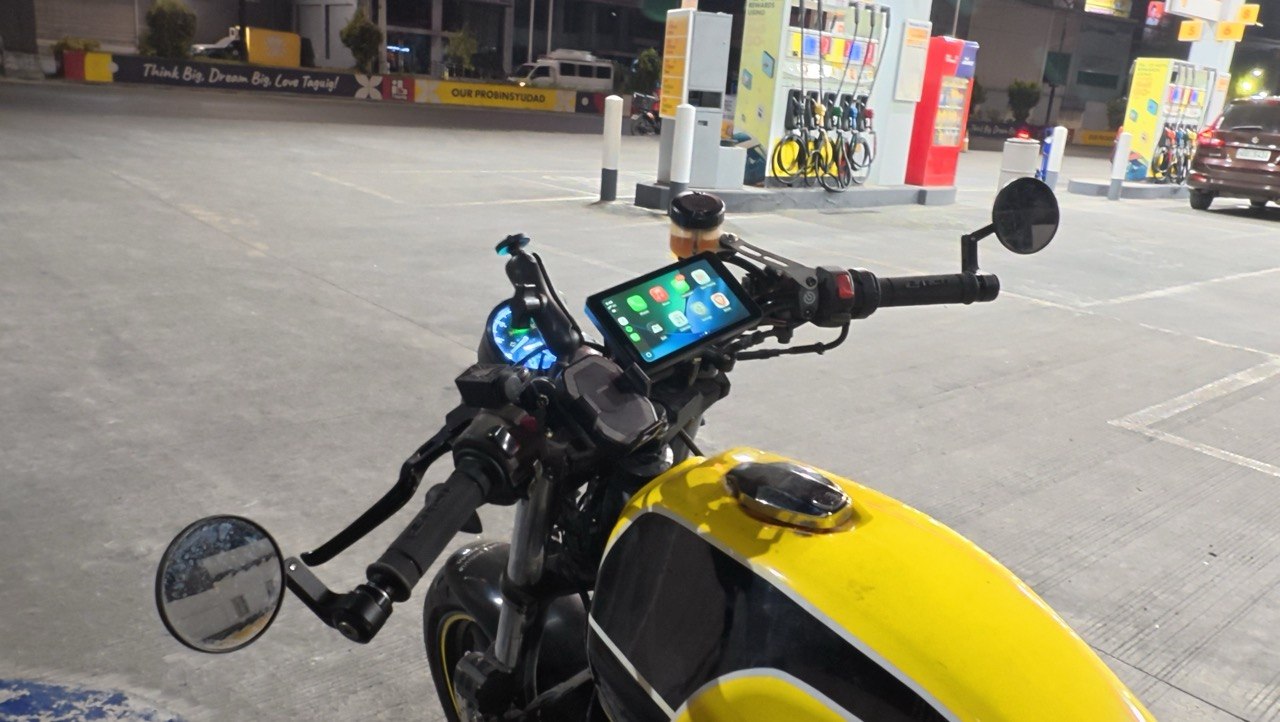
Mount placement is critical with a 6-inch unit. The extra size and weight create leverage, and a flimsy clamp will let the screen bounce over rough pavement. Tips that made a real difference on the XJR 400:
- Use a handlebar clamp anchored to something rigid
- Keep the screen close to the anchor point to reduce flex and vibration
- Route wiring snugly so it doesn’t tug on the head unit and create a secondary vibration source
- Use minimal vibration isolation, enough to kill high-frequency buzz, not so much that the mount becomes springy
Once properly set up, the unit feels like part of the bike. It stops moving and starts informing.
CHIGEE Lineup at a Glance
| Feature | XR-2 | AIO-5 Evo | AIO-6 LTE |
|---|---|---|---|
| Screen Size | 4.3″ | 5″ | 6″ |
| Peak Brightness | 1,400 nits | 1,200 nits | 2,300 nits |
| Waterproofing | IP68 | IP68 | IP69K |
| TPMS Support | Optional | Optional | Optional |
| Built-in Dashcam | Front + Rear | Front + Rear | ❌ Optional add-on |
| Lean Angle Sensor | ❌ | ❌ | ✅ |
| Built-in 4G LTE | ❌ | ❌ | ✅ |
| Blind Spot Detection | ❌ | ✅ | ✅ Optional |
| CarPlay / Android Auto | ✅ | ✅ | ✅ |
| Internal Storage | 32GB eMMC | ❌ SD only | 32GB eMMC |
| GPS Tracking and Geofencing | ❌ | ❌ | ✅ |
Verdict: Who Is the AIO-6 LTE Actually For?
If you ride twisty roads regularly and want data that makes you a better rider not just a better-documented one the AIO-6 LTE is built for you. The lean angle sensor alone justifies the upgrade if you’re already on an AIO-5 Evo and hitting those roads consistently.
If you’re a content creator running an action camera alongside a cockpit display, this is the cleanest setup on the market right now. Nothing overlaps. Everything has a job.
If you’re a daily commuter who just wants CarPlay and dashcam coverage, the AIO-5 Evo or even the XR-2 gets you there for less. The AIO-6 LTE’s value is in its data density if you’re not going to use lean angle, TPMS, and the telemetry logs, you’re paying for features that’ll sit idle.
The upgrade makes sense when you’ve outgrown your current unit and have specific problems you need solved. I did, and the AIO-6 LTE solved all three of them.
Recommended. For riders who ride seriously and want the cockpit to match.
Who Should Upgrade to the AIO-6 LTE
If you’re already on a CHIGEE and running into the same walls I hit, wanting lean angle data for twisty roads, needing TPMS and battery voltage always visible, or running an action camera alongside a dedicated cockpit display, this is the upgrade that makes sense.
If you’re coming from a basic phone mount or a compact display like the XR-2, the AIO-6 LTE is a significant step up in both capability and install commitment. It’s worth it, but go in knowing it rewards a proper setup and budget for a full rewire if you’re coming from the AIO-5 series.
CHIGEE AIO-6 LTE
Chigee AIO-6 LTE: a 6-inch ultra-bright smart riding display with 4G connectivity, GPS tracking, SOS alerts, and seamless CarPlay/Android Auto integration.
The screen, the data density, and the pre-ride safety checks have changed how I approach every ride. I leave the garage knowing my tires are good, my battery is healthy, and my camera is rolling. On the road, I get lean angle feedback that makes me ride cleaner on the XJR 400, and GPS data that makes the footage from my Osmo Action 5 Pro genuinely useful to review.
That’s the full upgrade case. Not hype. Just the three problems it solved, and why that was enough.