
It’s 5:30 in the morning on SLEX, the sky still a deep bruised purple, and I’m already cruising on the expressway with the camera recording the ride. I haven’t touched a single clip, buckle, or screw to get it there. That’s the kind of ride the DJI Osmo Action 5 Pro was built for and it’s exactly the problem most action cameras fail to solve.
I bought the Osmo Action 5 Pro Adventure Combo for almost ₱28,000 out of my own pocket no brand deal, no loaner unit. I’ve run it on every ride since, across Metro Manila traffic, expressway hauls, and provincial roads where lighting is whatever you’re given at that hour. After enough kilometers to form an actual opinion, here’s what I found.
DJI Action 5 Pro
The DJI Osmo Action 5 Pro is a powerful action camera with a large sensor, 4-hour battery life, advanced stabilization, and built-in storage for smooth moto vlogging.
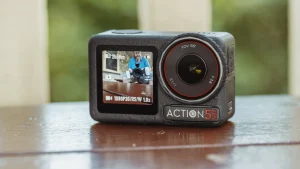
The DJI Osmo Action 5 Pro is not a perfect camera, but it is the right one for riders who shoot seriously. It handles the conditions that matter bad light, long hours, rough roads and it does it without making your life harder before or after the ride.
At-a-Glance Specifications
| Feature | DJI Osmo Action 5 Pro |
|---|---|
| Price (PH) | ~₱28,000 (Adventure Combo) |
| Max Video Resolution | 4K @ 120fps |
| Stabilization | RockSteady 3.0 / HorizonSteady |
| Sensor Size | 1/1.3″ CMOS |
| Internal Storage | 47GB usable (64GB total) |
| SD Card Requirement | Minimum U3 / V30 rated |
| Battery Life | Up to 4 hours @ 1080p (screens + Wi-Fi off) |
| Screens | Dual OLED high-brightness touchscreens |
| Waterproofing | 20m without housing |
| Companion App | DJI Mimo (Android: sideload via QR / iOS: App Store) |
| Mounting System | Magnetic quick-release |
| Weight | 145g |
What’s in the Adventure Combo
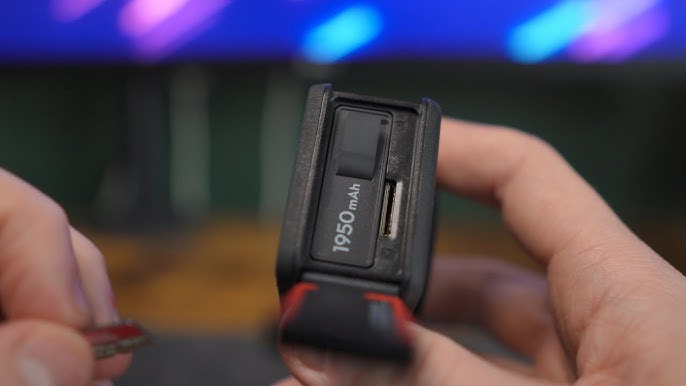
The Adventure Combo ships with the camera, two extra Extreme Batteries Plus (1950 mAh each) for three total, a Multifunctional Battery Case 2 that charges all three simultaneously, a 1.5m Extension Rod, and a mini quick release mount. That’s the complete list no ball-joint mount, no carrying pouch. What’s here is genuinely useful for riders, but know exactly what you’re getting before you order.
The Multifunctional Battery Case 2 is the standout accessory in the bundle. It charges all three batteries at once in about two hours and twenty-five minutes, which means you can top up everything overnight and head out the next morning fully loaded. For multi-day touring or full-day rides with continuous recording, this removes the logistics anxiety around power.
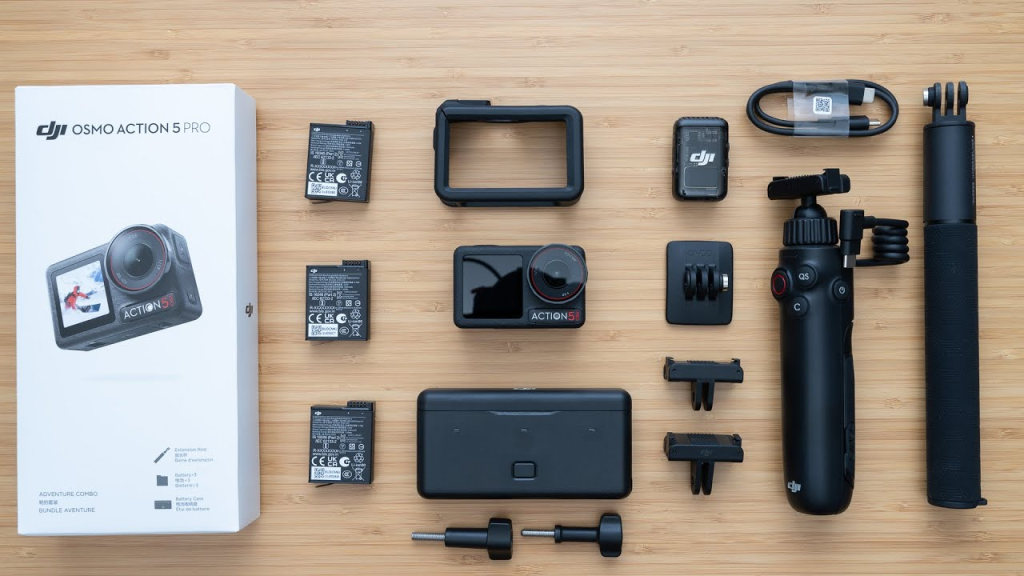
The 1.5m Extension Rod is more useful than it sounds for motorcycle content specifically. It opens up angles you can’t get from a helmet or handlebar mount overhead shots, forward-facing perspectives, or trailing shots of a group. It’s not the most glamorous accessory in the box, but it earns its place.
Hands-free voice control, crystal-clear audio, 18-hour battery. For riders who refuse to compromise on comms this one’s worth a serious look.
The Magnetic Mount: One Second to Ready
The magnetic mount system is the feature that changes how you think about cameras on motorcycles, and that’s not an exaggeration. Attach the magnetic base to your helmet or handlebars once, and from that point forward, mounting the camera takes a single second magnet to base, click, done. No clips to align, no screws to tighten, no second-guessing whether it’s secured properly before you pull out of the garage.
The hold strength is not what you’d expect from the word “magnetic.” DJI uses rare-earth magnets designed to hold through vibration, wind load, and the road punishment that Philippine provincial tarmac regularly delivers. Running it over broken concrete, through expressway expansion joints at speed, and across gravel access roads it has never shifted or rattled from the mount.
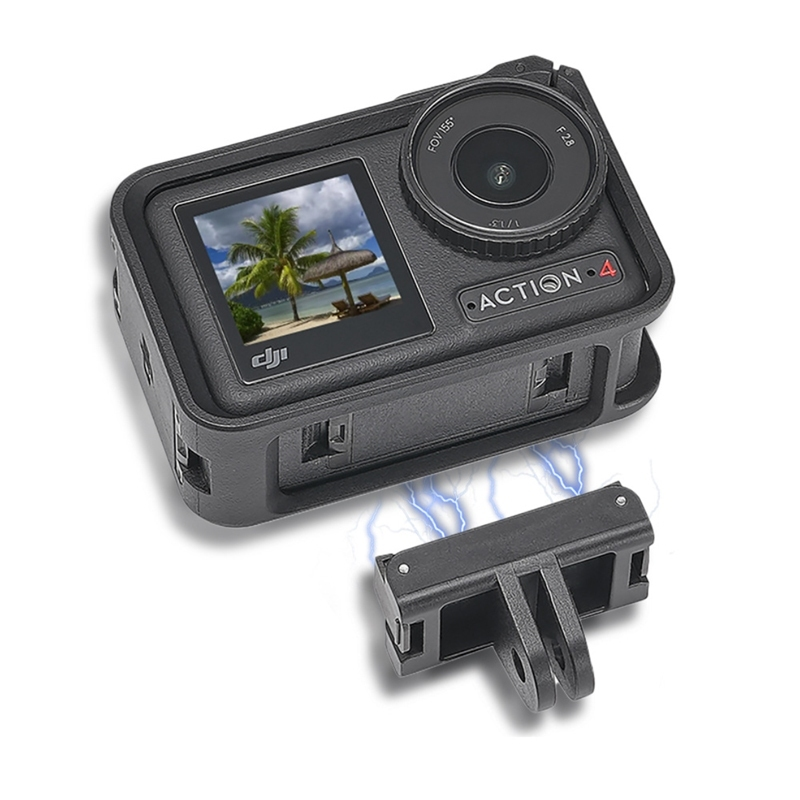
For riders specifically, this solves a problem that doesn’t get talked about enough: pre-ride setup time. When you’re already geared up, running slightly late for a dawn ride, fumbling with a traditional clip mount is the last friction you need. The magnetic system removes that entirely so you clip, ride, and focus on the road.
Low Light Performance: The Biggest Differentiator
If you ride in the Philippines, you ride in difficult light constantly early morning starts before the sun clears the mountains, late afternoon runs through shadowed overpasses, provincial roads with no street lighting after dark. The 1/1.3-inch CMOS sensor in the Action 5 Pro is one of the largest in any action camera at this price point, and that extra real estate translates directly into cleaner, more detailed footage when light is scarce.
In testing at dusk on open road, the Action 5 Pro held color accuracy and detail in conditions where smaller-sensor cameras produce muddy, grain-heavy footage. Dawn rides where the sky is still deep blue come out looking like intentional cinematic choices rather than noisy footage you have to salvage in post. Even static low-light photography delivers usable results without flash.
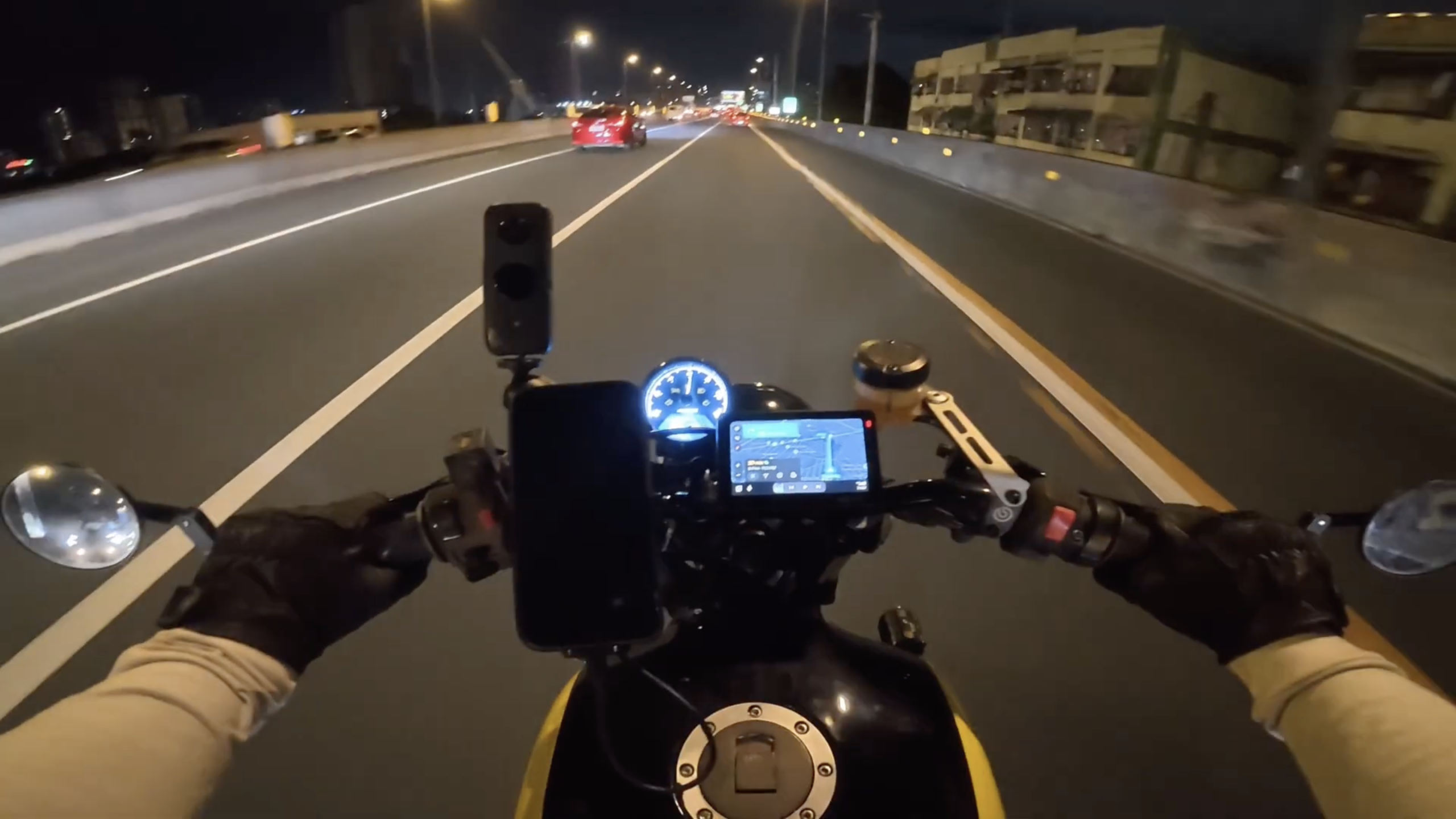
This is the single biggest reason to choose the Action 5 Pro over the competition. Stabilization and battery life are strong across the action camera category now, but low-light performance is still where sensors genuinely separate themselves. If you shoot in anything less than perfect golden-hour sunlight, the Action 5 Pro wins this comparison by a meaningful margin.
Built-In Memory: The Safety Net You Hope You Never Need
The DJI Osmo Action 5 Pro ships with 47GB of usable internal storage built directly into the camera body. When you have an SD card installed, the camera uses it as the primary recording destination as you’d expect. The critical difference is what happens when that SD card fails mid-ride.
On most action cameras, a corrupted or failed memory card means the camera stops recording, you lose whatever wasn’t saved, and the ride is undocumented from that point on. On the Action 5 Pro, the camera automatically switches to internal storage without interrupting the recording. You may not even know the card failed until you get home and review your files.
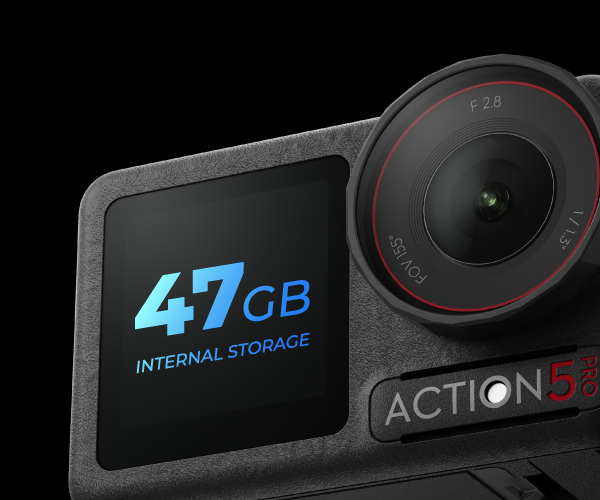
This is not a feature you’ll use often maybe never. But the one time it happens, on the one ride you can’t repeat, it will have paid for the entire camera in a single moment. It’s the kind of engineering decision that tells you a lot about how DJI thinks about use cases versus spec-sheet features.
Seven helmets, extreme tropical heat, one real-world test. Find out which lids actually deliver airflow when Philippine roads demand it.
SD Card Requirements: Budget for This Before You Buy
The Osmo Action 5 Pro requires a microSD card rated at U3 and V30 minimum that’s a guaranteed 30 MB/s sustained write speed, which is what the camera needs to record high-resolution 4K footage without dropping frames. Most SD cards advertise their read speed prominently and bury a much lower or unguaranteed write speed in the fine print, which is where buyers get caught out.
If you use a slow or incompatible card, you’ll encounter recording errors, dropped frames, or the camera will refuse to use the card for high-resolution modes entirely. The camera isn’t being difficult it physically cannot write data faster than the card can accept it. DJI’s own recommended list includes the SanDisk Extreme PRO, Kingston Canvas Go! Plus, and Lexar Professional 1066x series.
Budget ₱800–₱1,500 for a quality 128GB card on top of the camera price. It’s not optional, it’s not something to cheap out on, and it should be the first accessory cost any reviewer mentions clearly when discussing the total setup price. Add it to your shopping list before checkout.
Dual Screen: The Feature Solo Vloggers Actually Need
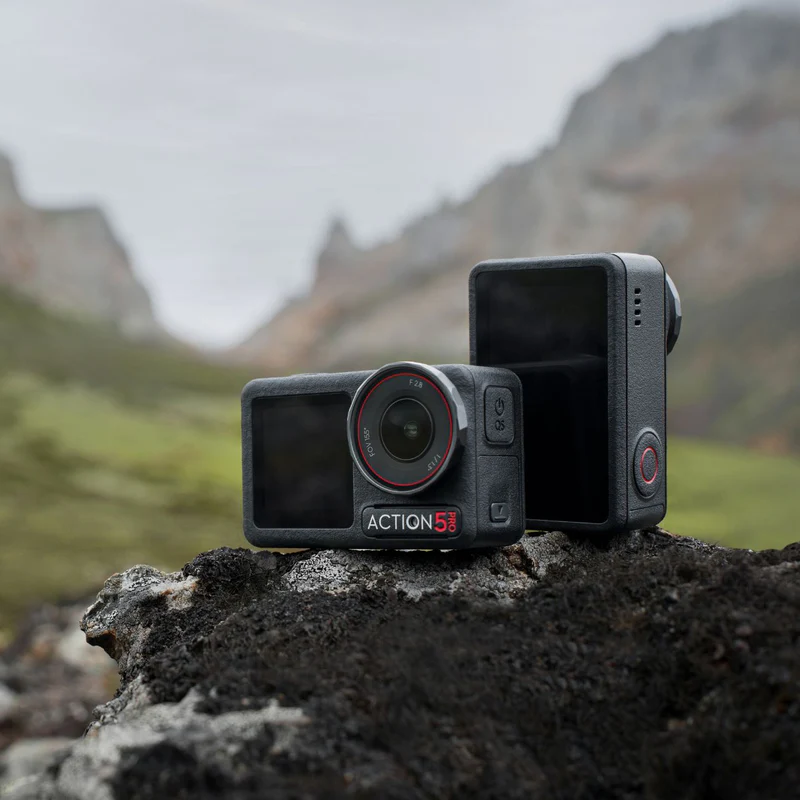
The Osmo Action 5 Pro has two OLED displays one on the rear for standard operation, and one on the front face of the camera. When the camera is mounted on a helmet or chest rig pointing back at your face, the front screen shows you exactly what the lens is capturing in real time. You know immediately whether you’re in frame, whether your chin bar is blocking the shot, or whether the angle needs adjustment before you’ve left the driveway.
This matters enormously for POV riding content where your face is part of the story. Without a front screen, you mount the camera, record for an hour, get home, dump the footage, and discover your subject was off-center or cut out the entire time. With the front screen, you see and fix the problem before leaving, saving an hour of wasted footage and reshoot frustration.

Both screens are OLED with peak brightness reaching 1000 nits on the rear display, which means you can actually read what’s shown even in direct afternoon sunlight. Touchscreen response is solid with summer gloves but can become frustrating with thicker gauntlet-style gloves in those situations, the physical buttons handle start/stop recording without any touchscreen interaction required.
Lightweight, race-ready, and built for serious riders. Still worth it in 2026? We put it through a real test so you don’t have to guess. Check the HJC RPHA 11 Carbon Review
RockSteady Stabilization: No Complaints
RockSteady 3.0 handles everything a motorcycle throws at it without drama. Engine vibration from idle rumble to high-RPM buzz, road surface irregularities, wind buffet at expressway speeds none of it appears in the final footage in any meaningful way. The result is smooth, clean video that looks controlled, even when the road absolutely wasn’t.
What separates RockSteady from lesser stabilization systems is that it doesn’t create artificial-looking footage in the process of being smooth. Some heavy-handed electronic stabilization produces a “floaty” quality that feels wrong and makes the viewer slightly uneasy without quite knowing why. RockSteady corrects unwanted vibration while preserving the natural motion energy of riding the lean angles, the acceleration, the physical feel of being on a bike.
HorizonSteady mode, which locks the horizon level within a 360° range even through aggressive cornering, is available for specific shot types. For general riding footage, standard RockSteady is the better choice because it preserves lean angle one of the most visually interesting elements of motorcycle content. Both modes are accessible in seconds from the shooting interface.
5 months, real roads, honest results. Cameras, GPS, TPMS, and CarPlay all in one Chigee here’s how it held up on every ride.
DJI Mimo App: Available on iOS and Android
The DJI Mimo app is available on both the Apple App Store and Google Play Store Android riders are fully covered without any workarounds. Once connected, it gives you remote camera control, live preview, settings adjustment, and basic editing without needing a laptop. The interface is clean enough that you won’t need to read a manual to navigate it on day one.
Connection runs over Bluetooth and Wi-Fi and is stable for ride-day use. The One-Tap Edit feature and editing templates are genuinely useful for quick social cuts while still at the destination, without pulling out a laptop. It handles the lightweight workflow efficiently and consistently does what you need it to.
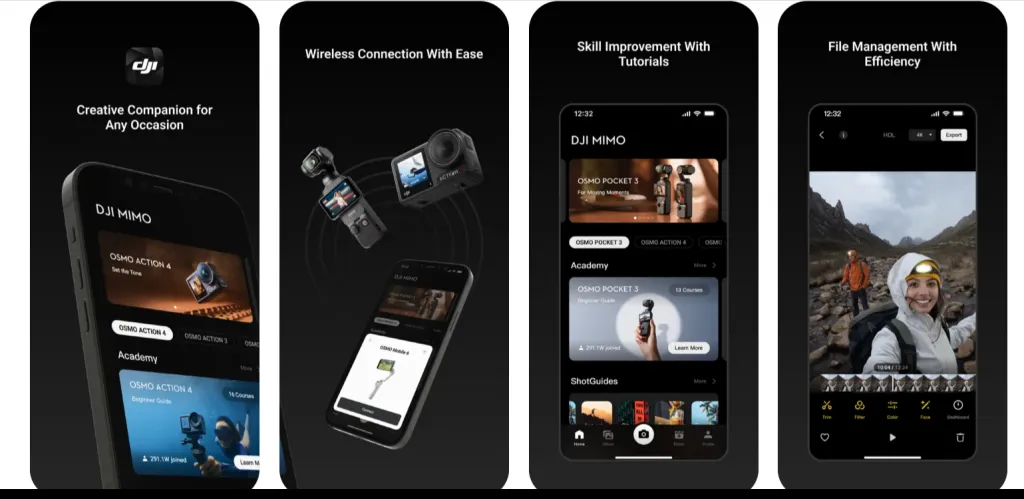
For serious post-production color grading, multi-clip timelines, proper audio sync export your footage to DaVinci Resolve, Premiere, or CapCut on desktop. Mimo handles quick edits and camera control well but isn’t built to replace a full editing suite. Treat it as a capable companion tool, not a standalone production environment, and it will never disappoint.
Is It Still Worth Buying With a Newer Model Out?
The DJI Osmo Action 6 has launched with an upgraded 1/1.1-inch sensor and variable aperture. If you have the budget and want the absolute latest, it’s the newer option. But the Action 5 Pro’s core strengths the 1/1.3-inch sensor, magnetic mount, dual OLED screens, 47GB built-in storage failsafe, and RockSteady 3.0 don’t become obsolete when a new SKU releases.
The financial case for the Action 5 Pro also improves with every month that passes. As the Action 6 takes the spotlight, the Adventure Combo will continue to drop in price either from authorized dealers reducing stock or through the second-hand market where cameras like this hold their reliability long after launch day.
For most riders, the real question isn’t “is the Action 5 Pro still good?” the answer to that is clearly yes. The better question is whether the Action 6’s specific upgrades justify the premium over a camera that already handles every riding scenario extremely well.
Bottom Line
The DJI Osmo Action 5 Pro Adventure Combo costs close to ₱28,000, and that’s real money for a camera. What you get is the best low-light action camera available for motorcycle use in this price bracket, a mounting system that removes friction from every single ride, and a dual-screen setup that makes solo vlogging actually workable without guesswork. For a rider who documents their rides consistently and shoots in real Philippine conditions, it delivers on every count that matters.
The negatives are real but manageable: glove compatibility with the touchscreen has its limits, the mounting ecosystem is still maturing, and the four-hour battery life is a best-case figure that doesn’t reflect active 4K recording. None of those things change the core proposition, and none of them would stop me from buying this camera again if I had to choose today.
DJI Action 5 Pro
The DJI Osmo Action 5 Pro is a powerful action camera with a large sensor, 4-hour battery life, advanced stabilization, and built-in storage for smooth moto vlogging.
No sponsorship. No free unit. Just the camera I chose to spend my own money on, and the honest assessment of what it’s actually like to use it on every ride.